- Platforms
- iPhone, iPad, Mac
- Requires
- iOS 17 · macOS 14
- Status
- Mac available
- Developer
- John Dawson
What it does
Better Label Printer is a native iPhone, iPad and Mac app for designing and printing labels on the Clabel CT221B, an inexpensive Bluetooth thermal printer. It replaces the manufacturer's app with something fast, reliable and actually pleasant to use.
The printer's Bluetooth protocol was worked out from captured traffic, so the app talks to the printer directly. It was built for a retail shop's bin, shelf and inventory labels, and it suits any small business that needs barcodes, QR codes, dates and spreadsheet data on a label.
Works with the Clabel CT221B
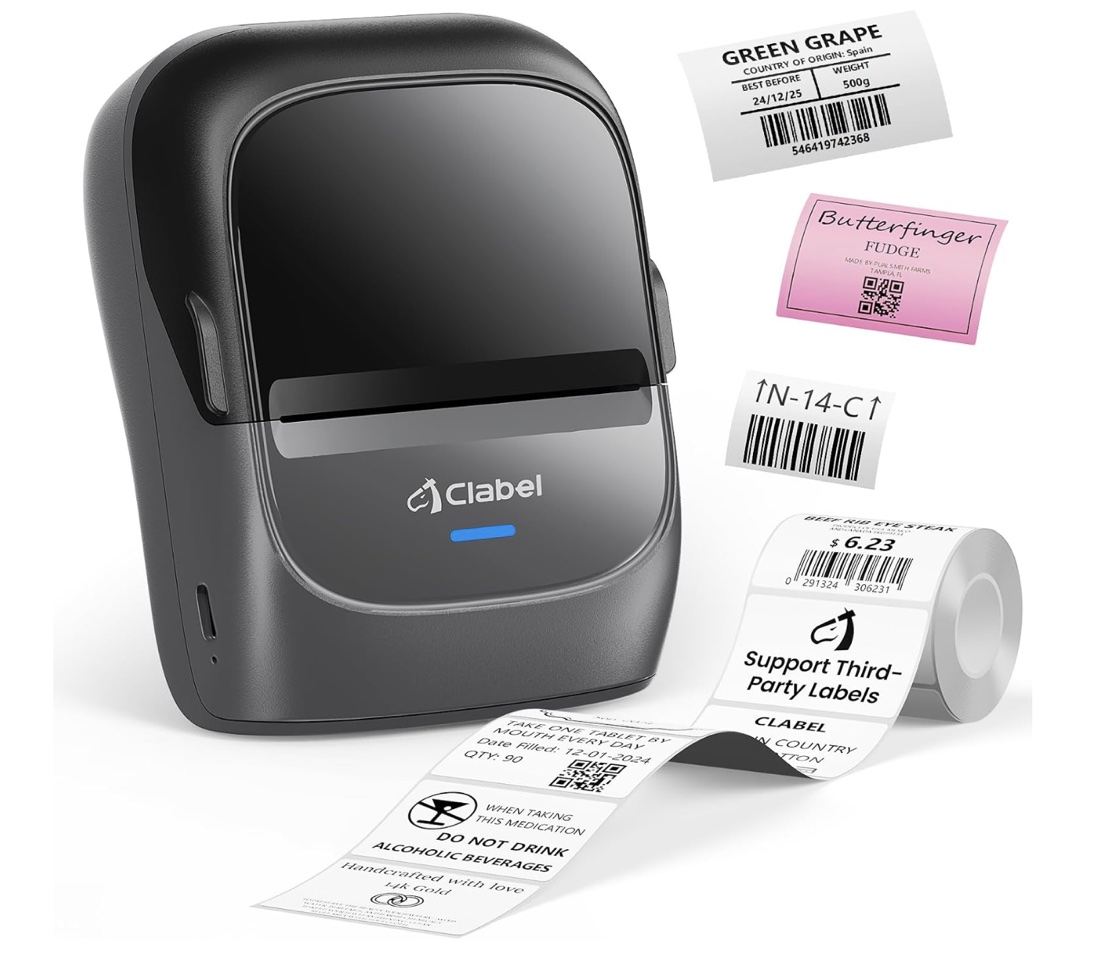
The CT221B is a compact, inexpensive Bluetooth thermal label printer. It needs no ink, and it accepts third-party label rolls as well as Clabel's own.
Better Label Printer talks to it directly over Bluetooth at its native 203 dpi. You don't need the manufacturer's app or an account, and you can design on your iPhone, iPad or Mac.
Printer photo: Clabel. Better Label Printer is an independent app and isn't affiliated with or endorsed by Clabel.
What's inside
WYSIWYG editor
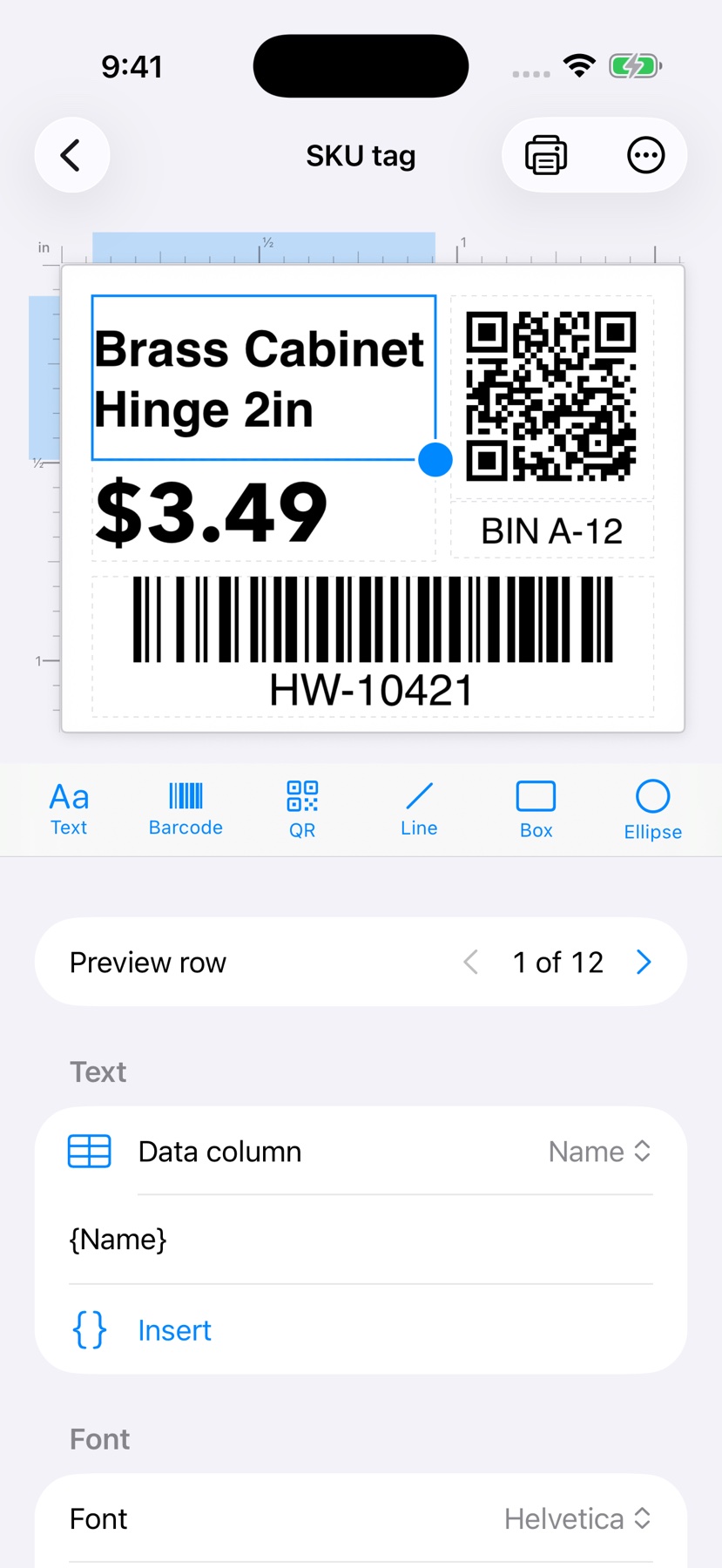
Text, barcodes, QR codes, lines, boxes, ellipses and images. Rotate, lock, layer and duplicate elements on a canvas with millimeter rulers.
Retail barcodes
Code 128, UPC-A, UPC-E, EAN-13 and EAN-8, with check digits validated or added for you.
Smart placeholders
{date}, {date+30}, custom date formats, auto-incrementing {serial}, and {Field} values filled from your data.
Batch print from CSV
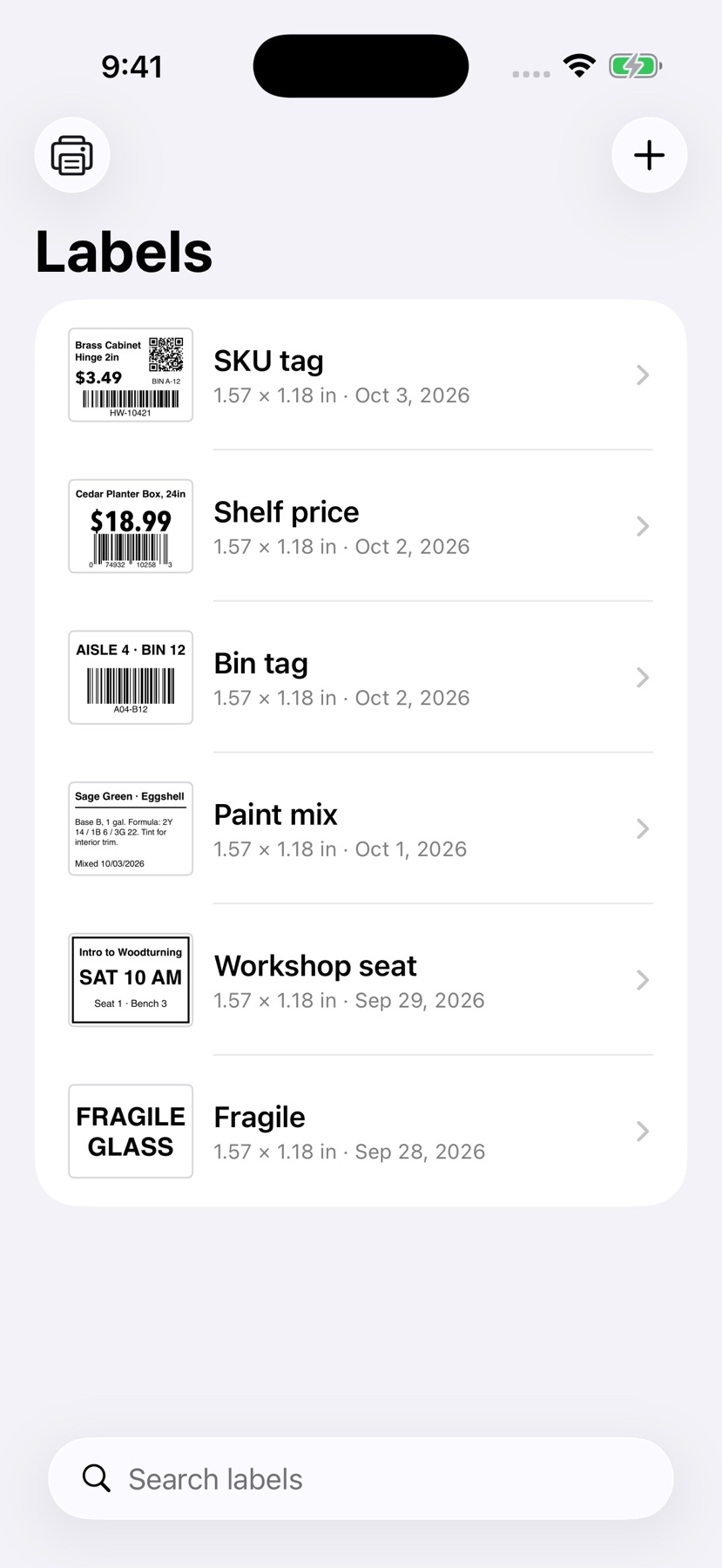
Import an inventory list, drag columns onto the label, then print every row, a range, or just the rows you pick.
Starter templates
Bin tag, SKU tag with QR and barcode, dated label, big text, or start from blank.
Multiple printers
Bluetooth scan with signal strength, nicknames, a default printer, and an Identify print to tell them apart.
Siri & Shortcuts
"Print Label" and "Print Text Label" actions, plus a betterlabel:// URL scheme for automation.
Pixel-accurate
Renders at the printer's native 203 dpi, with a printer-dots preview so what you see is what prints.
A closer look
Tap any screenshot to enlarge. Swipe or scroll sideways for more.
Get it now
Pick your platform below.
Download for Mac: v1.0 · notarized · macOS 14 or later · 1.2 MB DMG
iPhone & iPad: Coming to the App Store